
FoodPay (YemeksepetiPay)
A secure payment and virtual POS platform designed from scratch for merchants, operating under TCMB regulations.

Design Needs & Focus
FoodPay (YemeksepetiPay) is a payment and virtual POS platform designed from scratch to enable businesses to receive online payments securely, operating under TCMB regulations. From day one, the product was shaped with a strong UX foundation, taking regulatory requirements, security considerations, and financial operations into account.
The core design needs that guided the process:
Based on these needs, the entire experience was handled end to end, from the landing page and merchant onboarding flow to the dashboard and reporting screens.
Approach
The product was approached not as a set of individual screens, but as a complete journey — from a merchant's first interaction with the platform to actively receiving payments.
Research & Mini Benchmark
Since the product was built from scratch, a mini benchmark study was conducted to understand industry standards.
Platforms Reviewed
Focus Areas
The analysis showed that long and mandatory processes can be managed effectively through clear guidance, progress visibility, and well-crafted microcopy.
Wireframes
Wireframe work covered the following key flows:
A primary goal during onboarding was to clearly communicate where the user is in the process and what comes next.
Design System
A compact design system was created to meet MVP needs.
Standardized Components
Form fields, validation states, and error messages were standardized across all flows.
Visual Hierarchy
A consistent typography and visual hierarchy were defined for financial data presentation.
Reusable Patterns
Reusable components were created for security and status messaging. The system was designed to support future growth.
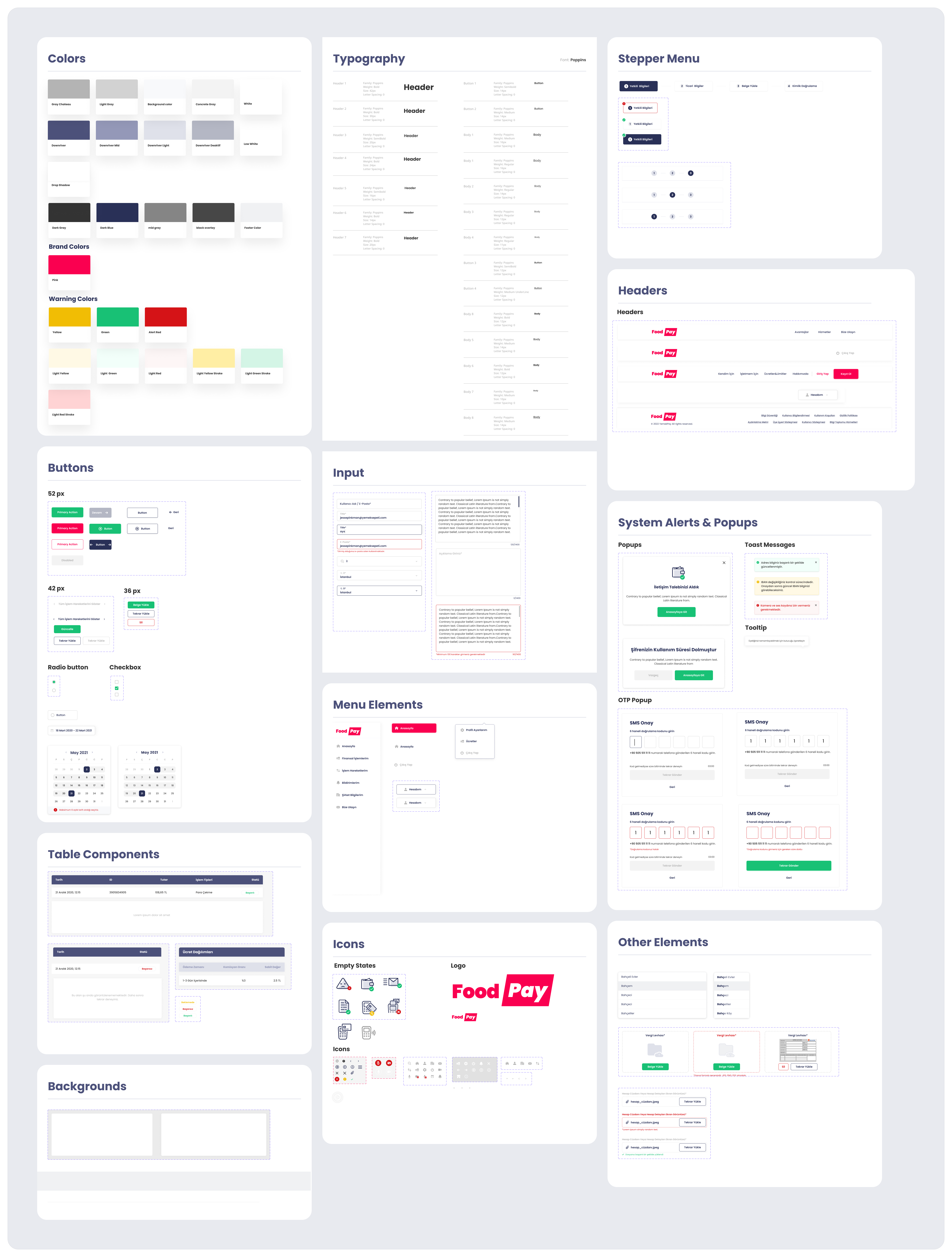
Design System Overview
UI Screens
All screens were designed responsively for both web and mobile web. Below are the main screen groups designed for the product.

Landing Pages - Web

Landing Page - Mobile Responsive

Sign Up & Login - Web
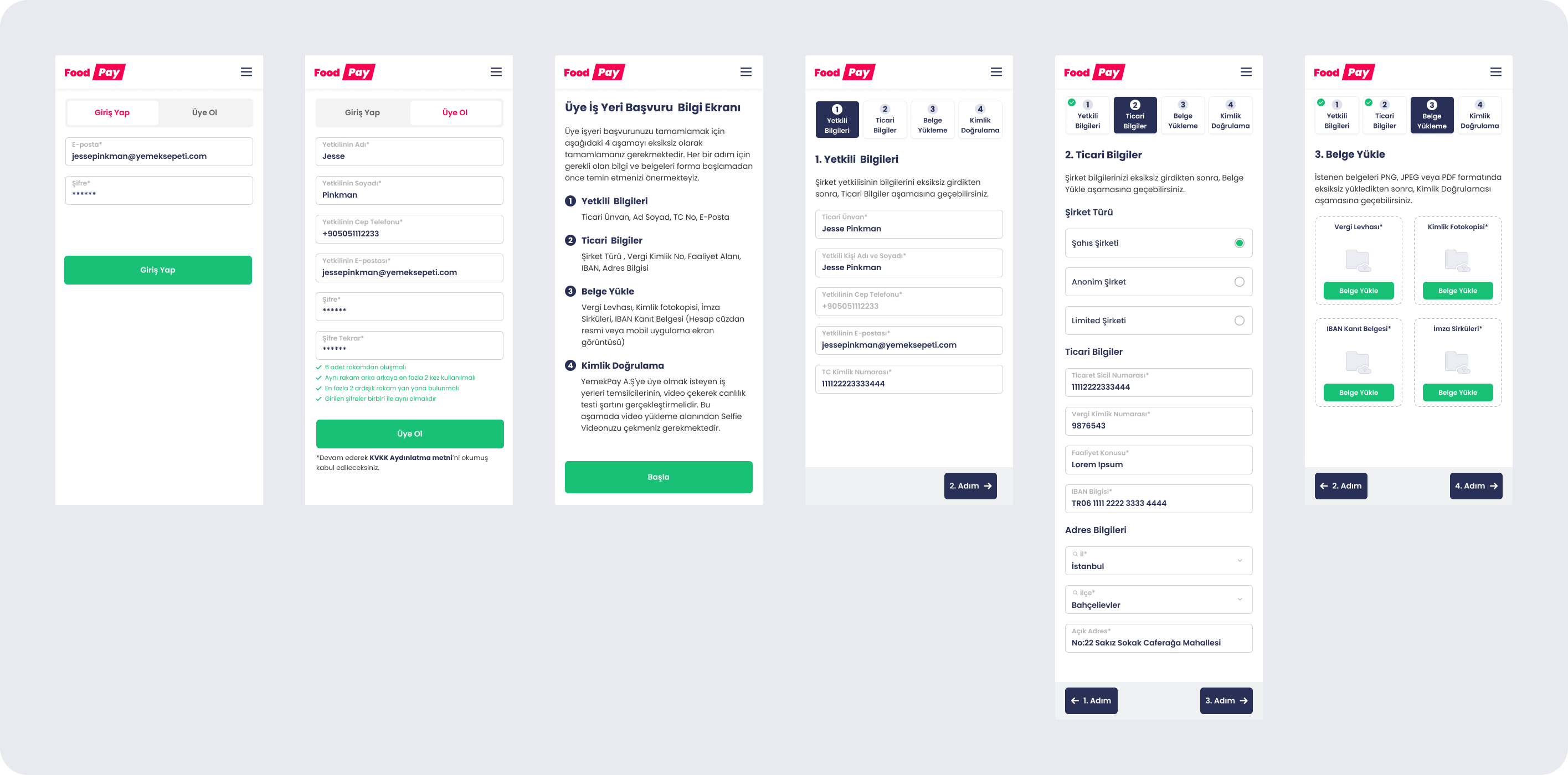
Sign Up, Login & Onboarding - Mobile Responsive

Onboarding Pages - Web
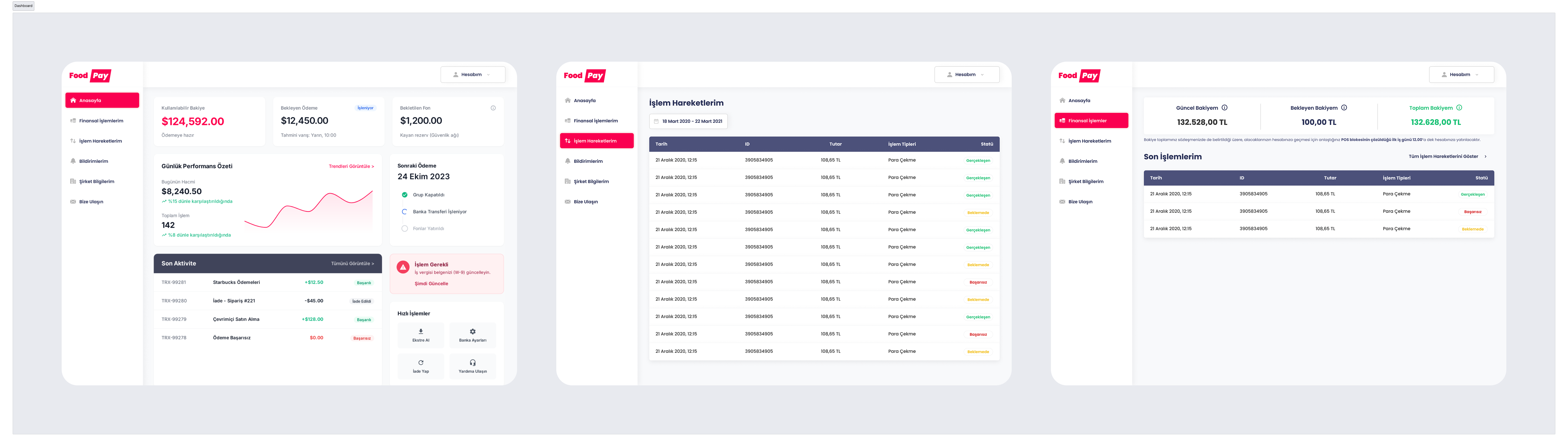
Dashboard - Web
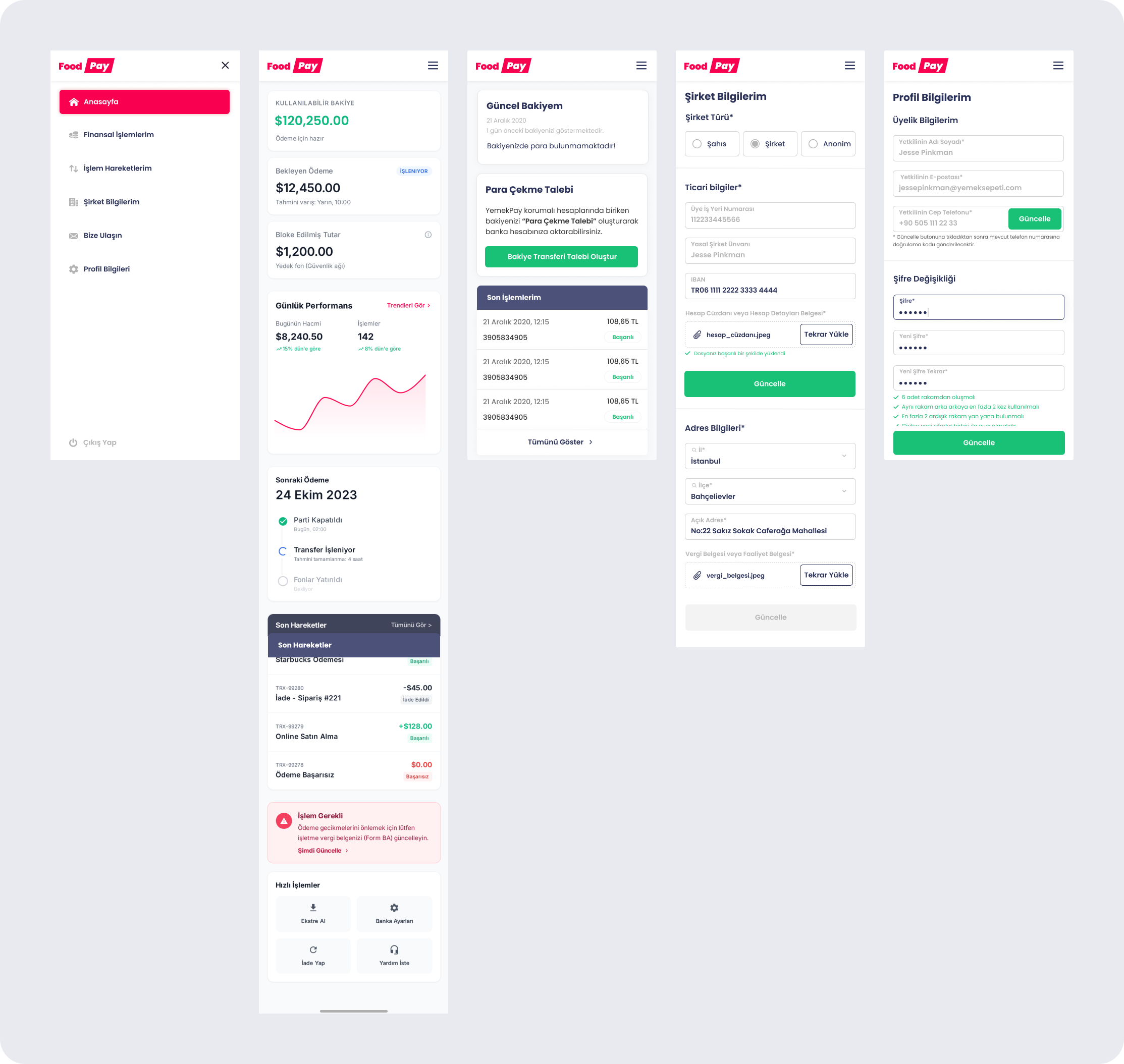
Dashboard - Mobile Responsive